All features

BotOnPlot features

Client Management

Keep client contact details and notes beside their associated buildings, so your team can find the right property and prepare the next conversation in one place.

Explore the details
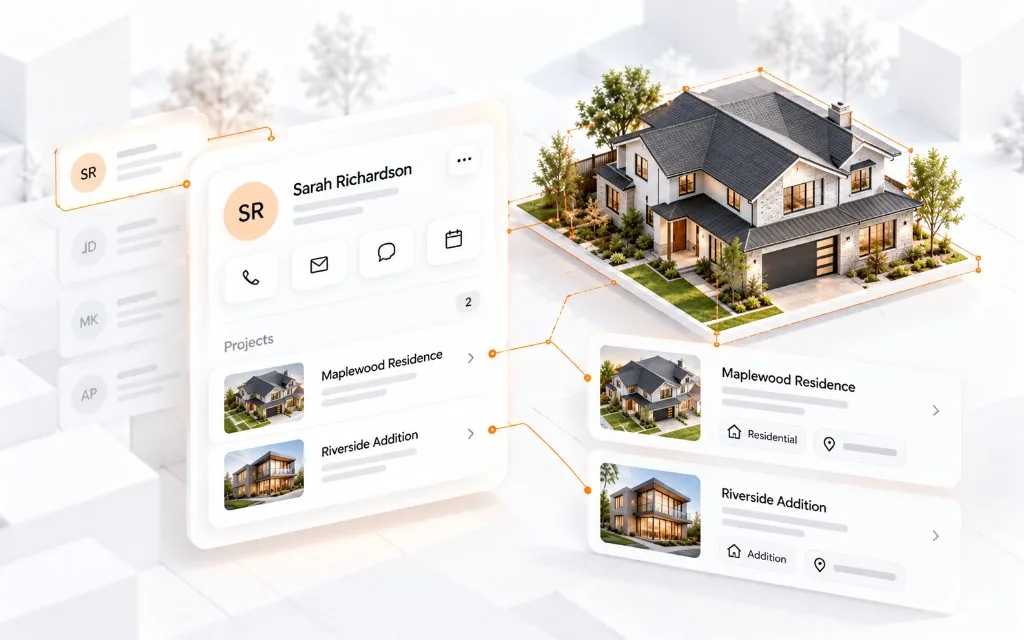
Illustration of client management in BotOnPlot

What you can do

What you can do with Client Management

01 / 03

Keep client details together

View a client's contact information, company details, and notes in one profile. The client profile keeps the contact person, email, phone number, company, and notes together. It also shows how many buildings belong to the client, so you can understand who you are working with before opening a property.

This helps with:

  • Contact person and company
  • Phone number and email
  • Notes about the client's request

Open one profile to see the important client details before starting the next task.
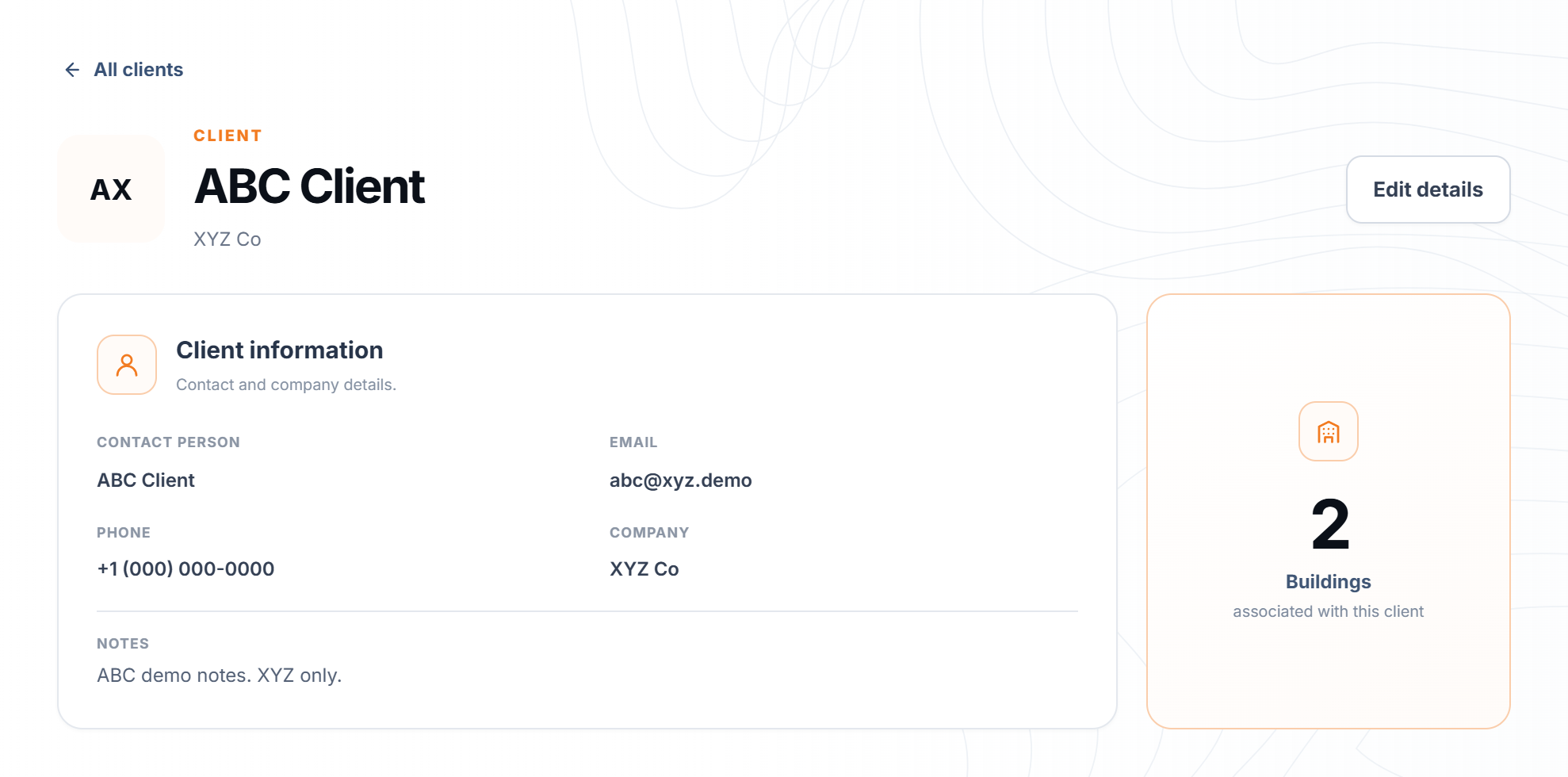
BotOnPlot client profile showing contact information, notes, and two associated buildings
02 / 03

See every linked building

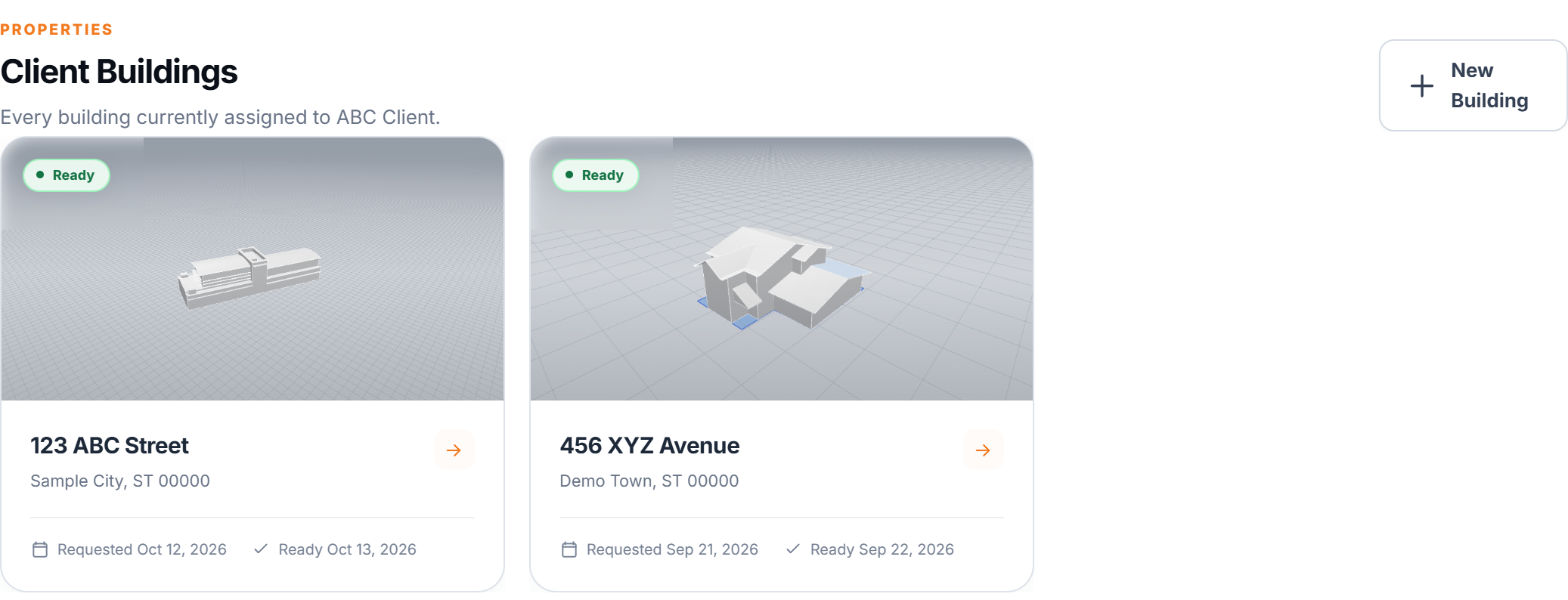
See the buildings linked to that client and open the right property quickly. A client can have several buildings. Their buildings list shows each property's address and model status, making it easier to choose the correct property when reviewing measurements or preparing a follow-up.

This helps with:

  • View every associated building
  • Confirm its address and model status
  • Open the property you need

Keep each building attached to the right client instead of searching through a separate property list.

BotOnPlot client buildings list showing two properties and their model status
03 / 03

Update details and notes

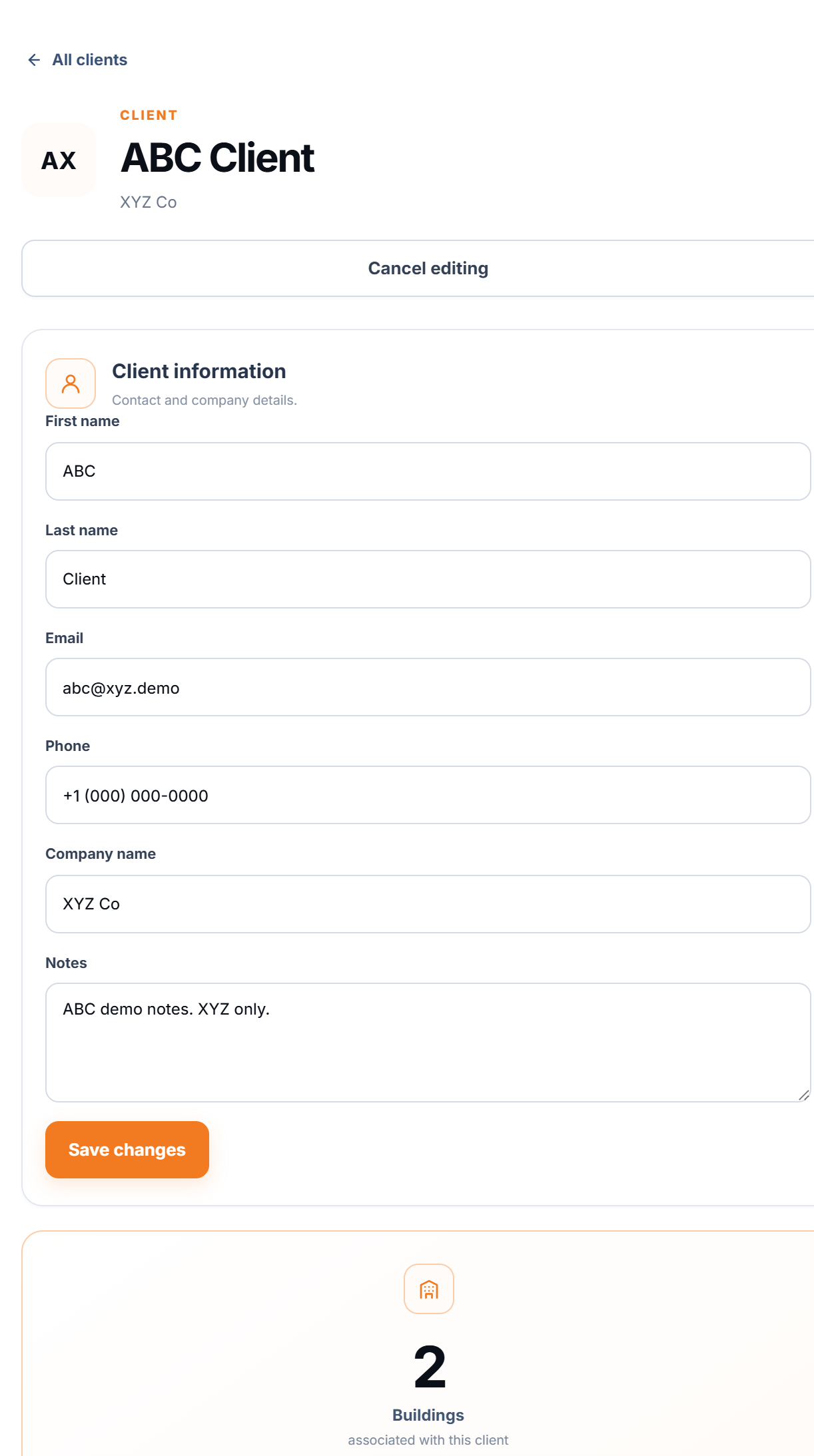
Edit contact details and notes when a client's needs change, so the next follow-up starts with current information. Use Edit details on the client profile when their contact information changes or they share a new request. Update the notes there as well, then return to the profile before the next conversation to see the latest information.

This helps with:

  • Change contact and company details
  • Add or revise client notes
  • Review the updated profile before following up

The current details and request stay with the client record your team already uses.

BotOnPlot client edit form showing contact details, company, notes, save button, and linked building count

In practice

Keep each building with the right client

Store contact details and notes with a client profile, then open its linked buildings to find the right address and model. This keeps the remote roof review connected to the person and property behind the project.

Explore all features

Start with one address

Your next building model starts with an address.

Get a 3D building model with available roof measurements, delivered within 12 hours on business days.

Get StartedOrders placed on weekends or US holidays are delivered within 12 hours of the next business day starting.